

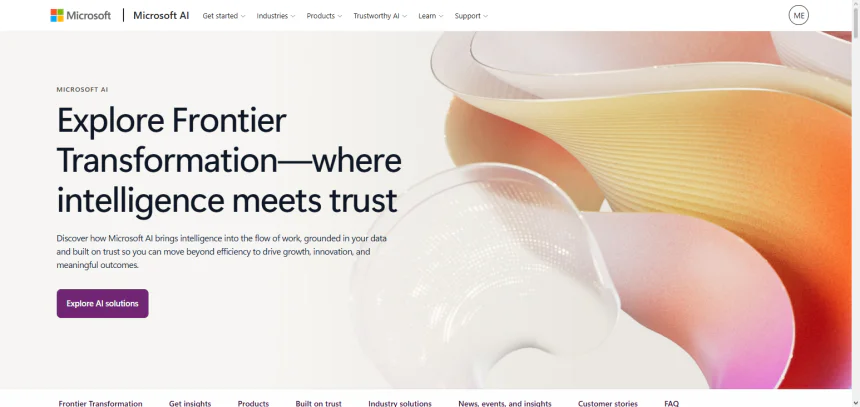
This article covers Microsoft AI Agents, next-generation tech in artificial intelligence that automates work, boosts productivity, and assists in making better business-related decisions.
We will look into their characteristics, advantages, pricing, security, challenges, use cases, and their potential in 2026. This guide intends to show the ways Microsoft AI Agents disrupt the existing workflows in enterprises.
What Are Microsoft AI Agents?
Microsoft AI Agents are AI solutions designed to perform tasks, analyze information, and assist with business decisions, all with little human involvement. Incorporating Microsoft services like Azure AI, Copilot, and Copilot Studio, the agents can adhere to commands, execute workflows, and communicate with enterprise apps.

Microsoft has been continually developing their AI systems since launching their AI and Research branch in 2016, partnering with OpenAI in 2019, and launching Copilot in 2023. By 2026, Microsoft AI Agents will be used to enhance productivity, service, automation, and operations across many industries.
How to Get Started with Microsoft AI Agents (Step-by-Step)
Determine Your Objective
The first step is determining the objective of the Microsoft AI Agent. This includes the automation of myriad functions, such as customer support, data analysis, employee support, workflows and sales. Determining your objective will help you formulate the actual agent.
Understand the Microsoft AI Tools
Based on your requirements, the following tools may be used:
- Microsoft Copilot Studio to create bespoke AI Agents without high levels of coding.

- Azure AI Agent Service for developing advanced AI at a high level for enterprise clients.
- Microsoft 365 Copilot, a tool for enhancing productivity in the workplace.
- Dynamics 365 Copilot Agents for sales, customer service, and business operations.
Create a Microsoft Account to Access AI Services
By creating a Microsoft business/developer account, you will gain access to the AI services on Microsoft’s cloud. Organizations may be required to procure the appropriate licenses for Copilot and other Azure and enterprise applications.
Plan Your AI Agent’s Processes
You should think about how your agent will function in your organization. You will need to:
- Allocate functions and duties to your agent.
- Create a set of instructions and flows for conversations.
- Determine which tasks your agent will perform.
- Determine which sources of information and what applications your agent can access.
Integrate Relevant Business Data
AI agents will need access to various data sources to perform their tasks. Some examples include:
- Files and documents within Microsoft 365.
- Data within SharePoint.
- CRM Systems.
- Business Applications.
- APIs and other data sources.
It is imperative that your AI agent is able to provide accurate replies that are timely and relevant within the given context.
Set Up AI Actions and Automations
Automate the connection of tools, workflows, and business processes. AI agents can be programmed to send messages, create reports, change records, add and schedule tasks, or perform other automated actions.
Educate and Personalize the AI Agent
AI agents can be personalized by adding instructions and corporate knowledge, guidelines, and examples. Perform multiple tests and consider various situations to fine-tune the agent to business requirements.
Assess the AI Agent
Always analyze the following before the agent goes live:
- Accuracy of responses
- Ability to complete tasks
- Security
- UX
- Performance of integrations
Optimize any workflows to repair identified issues.
Launch the AI Agent
After the AI agent has gone through all prior steps, it can be made available to employees, customers, or select business divisions. AI management tools provided by Microsoft can help maintain security and control management of the system.
Sustain and Upgrade
Analyze feedback and continue adjusting workflows for the AI agent to improve and evolve.
How It Works (Step-by-Step)
ser Provides a Goal or Request
- Users send commands to the Microsoft AI Agent through the natural language interface, chat, or business application.
- The agent identifies the user objective instead of answering piece-meal individual questions.
- For example, the AI agent can be instructed by the manager to create a sales report or help in the customer data analysis.
Natural Language Understanding and Processing
- AI Agents from Microsoft rely on state-of-the-art AI models and Natural Language Processing to decipher user intent.
- The model evaluates the context, the constraints, and the business scenario to decide on the appropriate action or response.
- This capability gives the user the flexibility to converse with the AI in the natural human language.
Analyze Data and Gather Information
- AI Agents harvest pertinent information from relevant data sources across the Microsoft 365 suite, SharePoint, Dynamics 365, databases and through APIs.
- They can sift through volumes of data and identify patterns and information with the requisite insights.
- The access permissions ensure the user is presented with only the data for which they have been granted access.
Plan Tasks and Make Decisions
- AI Agents from Microsoft can do much more than a traditional assistant.
- They can break down a complex business request into a series of steps and construct a plan.
- They can also make decisions on the tools to use and the approach to take in the fulfillment of the request.
- The reasoning capability of the AI Agents also enables them to tackle complex multi-step business processes.
Execute Actions Through Connected Tools
- The AI Agents from Microsoft can perform a multitude of tasks through a seamlessly integrated suite of applications and automation tools.
- They have the capability to create documents, modify business records, send communication, create reports, manage the business calendar and automate business workflows.
- Microsoft Power Platform and Azure services integration broadens their functionalities.
Provide Answers and Results
- After analyzing or completing a task, the AI agent presents users with answers, suggestions, or the finished task.
- The synthesized answer results from the data collected, AI reasoning, and business logic.
- Outcomes are provided more accurately and in a shorter time frame.
Adapt to Feedback and Increase Effectiveness
- AI agents are designed to evolve with the aid of feedback, addition of new knowledge sources, and updated surveillance.
- Performance can be improved by tuning instructions, integrating better workflows, and connecting more relevant data.
- Continuous improvement aids the accuracy and effectiveness of the solution.
Benefits of Microsoft AI Agents
Greater Efficiency
- Microsoft AI Agents reduce time spent on tedious tasks and take on time-consuming manual tasks.
- Work like creating documents, analyzing data, scheduling, and reporting can be completed by AI.
- Employees can do important tasks while AI takes care of everything else.
Automation of Business Processes
- AI agents drive the automation of intricate workflows within various functions of a business.
- Approvals, customer interactions, data processing, and operational tasks can be automated with little to no human input.
- Automation brings efficiency to a business function and reduces delays in workflows.
Speedier Decisions
- Microsoft AI Agents can interpret and analyze data and formulate insights in a fraction of the time.
- AI can provide recommendations from analysis for businesses to base decisions on and act quickly.
- The speed and accuracy of analysis directly impacts an organization’s ability to quickly adapt to market dynamics.
Enhanced Customer Satisfaction
- AI agents deliver instant and personalized customer support.
- AI can take customer questions, recommend answers, and even manage service requests.
- Businesses can provide an improved and consistent customer experience.
Decreased Business Costs
- AI can take on and drive business process automation and remove tedious administrative tasks.
- AI agents optimize business resources by doing tasks that require heavy manual resources.
- Automation drives business efficiency and lowers business costs.
Compatibility with Microsoft Ecosystem
- Microsoft AI Agents work with Microsoft 365, Teams, Dynamics 365, Azure, and the Power Platform.
- Businesses can leverage AI in their current workflow practices with no significant alterations to their systems.
- Integrated systems fuel collaboration across the productivity spectrum.
Personalized User Assistance
- AI agents are knowledgeable about user preferences and the role of the user in the business as well as the requirements of the business.
- They offer tailored suggestions, answers, and automation of tasks and processes.
- This results in the streamlining of processes and the improvement of the overall digital experience.
Improved Data Analysis and Insights
- Microsoft AI Agents analyze both structured and unstructured data regardless of their origin.
- They are better positioned to discover business pertinent trends and patterns more easily and to suggest new opportunities to enhance business performance.
- Insights facilitate informed decisions and more tactical outcomes.
Key Features
| Key Feature | Description |
|---|---|
| Autonomous Task Automation | Microsoft AI Agents can independently complete multi-step tasks, automate workflows, and perform business operations with minimal human intervention. |
| Natural Language Understanding (NLP) | AI agents understand human language, user intent, and context, allowing users to communicate through simple conversations. |
| Microsoft Copilot Integration | AI agents work with Microsoft Copilot, enabling intelligent assistance across Microsoft 365 apps such as Teams, Word, Excel, and Outlook. |
| Custom AI Agent Development | Organizations can build customized agents using Copilot Studio and Azure AI tools according to specific business requirements. |
| Enterprise Data Integration | Agents can connect with business data sources, including SharePoint, Dynamics 365, databases, APIs, and cloud applications. |
| AI Reasoning and Decision-Making | Microsoft AI Agents analyze information, create plans, and make intelligent decisions to complete complex tasks. |
| Workflow Automation | AI agents automate repetitive processes such as approvals, reporting, customer service tasks, and data management. |
| Multi-Agent Collaboration | Multiple AI agents can work together, with each agent handling specialized tasks across different business functions. |
| Real-Time Data Analysis | Agents process large volumes of information quickly to provide insights, recommendations, and predictive analysis. |
| Microsoft 365 Integration | Seamless connection with Microsoft productivity tools improves employee collaboration and workplace efficiency. |
| Azure Cloud Support | Built on Microsoft Azure infrastructure, AI agents provide scalable computing power, reliability, and enterprise performance. |
| Security and Compliance Controls | Advanced security features include identity management, permissions, encryption, governance, and compliance support. |
| Multilingual Capabilities | Microsoft AI Agents support multiple languages, helping global organizations communicate and automate processes worldwide. |
| Low-Code Development | Copilot Studio enables businesses to create and customize AI agents with minimal programming knowledge. |
| Continuous Improvement | AI agents can be updated with new data, feedback, and instructions to improve accuracy and performance over time. |
Use Cases of Microsoft AI Agents in 2026

In 2026, Microsoft AI Agents are employed in numerous industries. Businesses automate operations, enhance productivity, and support customer service automation. AI agents respond to queries, personalize responses, and resolve support issues.
AI agents analyze customer behavior, generate leads, design campaigns, and recommend sales in marketing. AI agents support financial analysis, reporting, and fraud and risk in finance. Support troubleshooting and system monitoring with Microsoft AI Agents.
They facilitate development and assist in cybersecurity. Use AI Agents to automate recruitment and aid employees in onboarding and work support. They assist in the administration of patient services and in the management of healthcare data. Microsoft AI Agents are included in M365, D365, Azure, and Power Platform to assist enterprises in building intelligent automation.
Pricing Breakdown
| Microsoft AI Agent Solution | Pricing Model | Estimated Cost / Details |
|---|---|---|
| Microsoft Copilot Studio | Subscription-based pricing | Starts around $200 per month per tenant (with Copilot Studio capacity packs) for creating and managing custom AI agents. Additional usage may increase costs. |
| Microsoft 365 Copilot Agents | Per-user licensing | Around $30 per user/month for Microsoft 365 Copilot features, with AI agent capabilities depending on available plans and usage. |
| Azure AI Agent Service | Pay-as-you-go pricing | Costs depend on AI model usage, API calls, computing resources, storage, and data processing requirements. |
| Azure OpenAI Service for Agents | Consumption-based pricing | Pricing varies based on selected AI models, token usage, and workload volume. |
| Dynamics 365 Copilot Agents | Application-based licensing | Pricing depends on Dynamics 365 applications, user licenses, and AI features enabled for sales, customer service, and operations. |
| Power Platform AI Agents | Capacity and usage-based pricing | Costs depend on Power Apps, Power Automate flows, AI Builder usage, and automation requirements. |
| Custom Enterprise AI Agents | Development + infrastructure costs | Pricing varies based on customization, integrations, security requirements, cloud resources, and ongoing maintenance. |
| Small Business AI Agent Deployment | Subscription + usage model | Lower-cost deployments may use Microsoft Copilot tools with limited automation and user requirements. |
| Large Enterprise AI Agent Deployment | Enterprise licensing model | Higher costs due to advanced integrations, security controls, large-scale usage, and dedicated Azure resources. |
How Much Does Microsoft AI Agents Cost in 2026?
The pricing of Microsoft AI Agents in 2026 will rely on the specific requirements of the business, including the platform, the volume of usage, the number of users, the type of AI model, and the degree of customization. Microsoft has several pricing methods.
These include Microsoft 365 Copilot, Copilot Studio, Azure AI Agent Service, and Dynamics 365 AI. Microsoft 365 Copilot is priced at about $30 per user per month (after an annual commitment), while Copilot Studio uses a credit-based pricing method to build agents, and there are independent pricing methods for organizations that require the creation of custom agents and external deployments.
Organizations can buy Copilot Studio capacity packs or use a pay-as-you-go method to control costs for the business based on the AI agents’ usage.
Basic Microsoft AI Agent deployments will cost small businesses a few hundred dollars a month, large businesses that employ high volumes of automated agent deployments, integrations, and business processes will cost thousands of dollars a month. Other costs may include Azure fees, costs for security, custom development, and third-party agent integrations.
The flexible, usage-based pricing for Microsoft AI Agents means that highly involved automation workflows will cost more due to the higher costs for processing AI tasks.
Microsoft AI Agents will have tiered, scalable pricing that supports smaller businesses that deploy simple AI tasks, while larger businesses that require more integrated AI tasks will deploy complex autonomous enterprise agents.
Challenges and Risks of Microsoft AI Agents
Data Privacy and Security
- Access Microsoft AI Agents to business data, applications, and internal systems and you’ll create data security and privacy gaps.
- Stronger access control, data encryption, and data governance policies become imperative for the protection of sensitive data.
Expensive to Implement
- Higher licensing, Azure costs, and costs associated with customizing, integrating, and maintaining Microsoft AI Agents are additional costs to consider.
- Relative to basic automation, AI agent deployment may be prohibitively expensive for small and micro businesses.
Integration Challenges
- The technical challenge of integrating AI agents with existing enterprise systems, databases, APIs, and enterprise workflows may be insurmountable.
- Ineffective integration may create performance lags for the agent and may restrict the agent to the generation of suboptimal results.
Inconsistency
- Microsoft AI Agents have a tendency to produce inaccurate information, misinterpret the input, or make suggestions and recommendations that are erroneous.
- Businesses that rely on Microsoft AI Agents will need to monitor outcomes and employ staff to oversee the agents.
Inadequate Data
- Microsoft AI Agents will be inadequate at providing insight or completing a task if the information they are provided is incomplete or inaccurate.
Regulatory Compliance
- Adoption and use of AI agents will increase the pressure on businesses to adopt and practice compliance to industry standards for data protection and the privacy of data.
- Compliance can be daunting for businesses that operate in multiple jurisdictions.
Employee Training
- Employees will need to be trained to use and manage AI Agents.
- The implementation of AI and the anticipated productivity gains from it can be negatively impacted by the resistance to the adoption of the technology.
Limited Human-Like Understanding
- The lack of ability to understand human emotions, incomplete instructions, or abstract thinking and creative decision-making may inhibit the flexibility and usefulness of AI.
- The need to manage AI and make business decisions still exists.
Pros and Cons
| Pros (Advantages) | Cons (Disadvantages) |
|---|---|
| Automates Complex Tasks – Microsoft AI Agents can handle repetitive and multi-step workflows, reducing manual effort and improving efficiency. | High Implementation Costs – Licensing, Azure resources, customization, and maintenance expenses can become expensive for some organizations. |
| Improves Productivity – AI agents help employees complete tasks faster by assisting with data analysis, reporting, communication, and automation. | Data Privacy Risks – AI agents require access to business data, creating potential security and privacy concerns if not managed properly. |
| Seamless Microsoft Integration – Works with Microsoft 365, Teams, Dynamics 365, Azure, and Power Platform for better workflow management. | Complex Setup Process – Building and integrating advanced AI agents may require technical expertise and proper configuration. |
| 24/7 Availability – AI agents can provide continuous support for employees, customers, and business operations. | Accuracy Limitations – AI agents may sometimes produce incorrect information or require human verification. |
| Customizable AI Solutions – Businesses can create specialized agents for different departments and industry needs. | Requires Quality Data – Poor-quality or outdated data can affect AI performance and decision accuracy. |
| Faster Decision-Making – AI agents analyze large amounts of information and provide useful insights quickly. | Employee Training Requirements – Teams may need training to effectively use and manage AI-powered systems. |
| Enhanced Customer Experience – AI agents provide personalized responses and faster customer support. | Security Threats – Connected AI systems may face risks from cyberattacks, unauthorized access, or misuse. |
| Scalable for Enterprises – Organizations can expand AI capabilities as business requirements grow. | Limited Human Understanding – AI agents may struggle with complex emotions, judgment, and highly creative decisions. |
| Low-Code Development Options – Tools like Copilot Studio allow users to create agents with minimal programming knowledge. | Vendor Dependency – Businesses relying heavily on Microsoft’s ecosystem may face challenges related to pricing changes or platform dependency. |
| Improves Operational Efficiency – Reduces workload, streamlines processes, and supports better resource management. | Ongoing Maintenance Needed – AI agents require regular updates, monitoring, and optimization to perform effectively. |
Who Should — and Shouldn’t — Use Microsoft AI Agents
Microsoft AI Agents are beneficial for companies wanting to enhance workflow, productivity, or automated decision-making abilities.
AI Automation can help manage repetitive tasks, automate processes, analyze data and improve the speed of task delivery for everyone from the IT and sales teams to the HR and finance departments. Even customer support departments can benefit. Companies that utilize Microsoft automation tools have the most seamless advantage because of Microsoft 365, Teams, Dynamics 365, Azure, and Power Platform.
Microsoft AI Agents are not for everyone. Small companies that do not have strong budgets, companies that do not have structured digital systems and companies that do not have AI governance that support sensitive digital decisions face challenges with the adoption of Microsoft AI Agents.
Companies that do not have sufficient quality data, the digital technology to support automation or a clear goal with the automation also do not gain any significant benefit from Microsoft AI Agents. Lastly, Microsoft AI Agents should only be used as support tools and not a complete substitute when companies do not have tasks that require human judgment, creativity, or emotional intelligence.
Microsoft AI Agents vs Traditional AI Assistants
| Comparison Factor | Microsoft AI Agents | Traditional AI Assistants |
|---|---|---|
| Purpose | Designed to complete complex tasks, automate workflows, and achieve specific business goals autonomously. | Mainly designed to answer questions, provide information, and assist with simple tasks. |
| Level of Autonomy | High autonomy; can plan, reason, make decisions, and execute multi-step actions with limited human input. | Limited autonomy; usually waits for direct user commands before responding. |
| Task Execution | Can perform actions such as creating reports, updating records, managing workflows, and connecting with business systems. | Mostly provides suggestions, answers, reminders, or basic assistance. |
| Decision-Making Ability | Uses AI reasoning to analyze information, evaluate options, and recommend or perform actions. | Provides responses based on predefined instructions or available information. |
| Data Integration | Connects with enterprise data sources like Microsoft 365, Azure, Dynamics 365, databases, and APIs. | Usually works with limited data sources and fewer integrations. |
| Workflow Automation | Automates complete business processes across departments with tools and applications. | Handles individual tasks but rarely manages full workflows. |
| Learning and Adaptation | Can improve through updated data, feedback, instructions, and continuous optimization. | Limited ability to adapt beyond predefined updates. |
| Business Applications | Used for sales automation, customer service, finance, IT operations, HR, and enterprise processes. | Commonly used for personal productivity, search assistance, and basic customer interactions. |
| Customization | Highly customizable using tools like Microsoft Copilot Studio and Azure AI services. | Offers limited customization options. |
| Tool Usage | Can access APIs, applications, plugins, and automation tools to complete tasks. | Usually provides text-based responses without external action capabilities. |
| Multi-Agent Collaboration | Multiple AI agents can work together to handle specialized tasks. | Generally operates as a single assistant without collaboration capabilities. |
| Security & Governance | Includes enterprise security, identity controls, compliance management, and data protection features. | Basic security controls with fewer enterprise governance options. |
| User Interaction | Works through conversational interfaces while independently completing assigned objectives. | Requires users to ask questions or provide commands for each action. |
| Best For | Enterprises and organizations seeking automation, efficiency, and intelligent business operations. | Individuals and businesses needing quick answers and simple digital assistance. |
| Future Potential | Moving toward autonomous digital employees capable of managing complex workflows. | Mainly focused on improving conversational support and user convenience. |
Popular Microsoft AI Agent Technologies

Microsoft Copilot Studio Agents
- Microsoft Copilot Studio provides no or low-code tools for the development and deployment of custom AI agents.
- Companies can create agents for customer service, employee assistance, the automation of workplace tasks, and general business operations.
- This product includes tools for connecting data, embedding instructions, and integrating business applications.
Azure AI Agent Service
- The Azure AI Agent Service enables the development of sophisticated AI agents on the Microsoft Azure cloud.
- This service is focused on the development of enterprise-scale AI applications and integrations with fully secure data, the use of external tools, and infrastructure with no concerns regarding elasticity.
- Organizations can develop agents to automate complex tasks and workflows and to make sophisticated decisions.
Microsoft 365 Copilot Agents
- Microsoft 365 Copilot Agents can be found in modern workplace applications such as Teams, Word, Excel, Outlook, SharePoint, and others.
- These Copilot Agents assist in the automation of workplace tasks, the summarization of information, content generation, and the enhancement of workplace collaboration.
- These agents work within the embedded workflows of Microsoft applications, thus increasing workplace productivity.
Dynamics 365 AI Agents
- The Dynamics 365 AI Agents offer support for business processes that span sales, customer service, marketing, and operations.
- These agents facilitate the interaction of personnel with customers and the analysis of business data, as well as the automation of CRM functions.
- The agents foster greater business and customer satisfaction.
Power Platform AI Agents
- The low-code automation AI Agent solutions that can be created with the Microsoft Power Platform are unlocked with the Power Platform AI Agents.
- These agents are designed to work with Power Automate, Power Apps, and the various Microsoft services.
- The low-code requirements give organizations strong automation solutions.
Azure OpenAI Service Agents
- Using the Azure OpenAI Service, developers can leverage state-of-the-art language models to create AI agents within Microsoft’s secure cloud.
- These agents understand, produce, and evaluate intelligent content and carry out smart tasks.
- It offers scalability and security for enterprises.
Microsoft Teams AI Agents
- Teams AI Agents enable employees to collaborate, manage meetings, respond to queries, and communicate by automating functions.
- They even summarize meetings and manage tasks and can be used as a knowledge resource.
- All of these features increase team productivity and improve the efficiency of communication.
GitHub Copilot Agents
- GitHub Copilot Agents assist developers by facilitating code writing, editing, testing, and the development process.
- They even help to complete programming tasks and develop processes to assist programmers.
- These agents are meant for those who develop software and engineers.
Supported Language
| Language | Support Level | Usage |
|---|---|---|
| English | Full Support | Primary language for AI agent interactions, business automation, documentation, and enterprise applications. |
| Spanish | Supported | Used for customer support, communication, and business workflows across Spanish-speaking regions. |
| French | Supported | Enables multilingual conversations and automation for French-speaking users. |
| German | Supported | Supports enterprise communication and business processes in German-speaking markets. |
| Italian | Supported | Helps organizations provide AI-powered assistance for Italian users. |
| Portuguese | Supported | Supports customer interactions and workplace automation in Portuguese-speaking regions. |
| Japanese | Supported | Enables AI agent usage for businesses operating in Japan. |
| Chinese (Simplified) | Supported | Provides AI assistance for Chinese-speaking users and global enterprises. |
| Korean | Supported | Supports AI-powered workflows and communication for Korean users. |
| Dutch | Supported | Enables multilingual business support and automation. |
| Swedish | Supported | Provides AI agent capabilities for Swedish-speaking organizations. |
| Danish | Supported | Supports workplace communication and AI interactions in Danish. |
| Norwegian | Supported | Enables AI-powered assistance for Norwegian users. |
| Finnish | Supported | Provides multilingual support for Finland-based users. |
| Polish | Supported | Supports AI conversations and business processes in Polish. |
| Arabic | Supported | Helps organizations provide AI assistance across Arabic-speaking regions. |
| Hindi | Supported | Enables AI interactions and workplace assistance for Hindi-speaking users. |
| Turkish | Supported | Supports business automation and customer engagement in Turkish. |
Security and Privacy of Microsoft AI Agents

Enterprise-Grade Data Protection
- Microsoft AI Agents are built on secure cloud infrastructure.
- Business data are protected by encryption and access controls.
- AI agents are built to keep protected information safe while processing and storing.
Identity and Access Management
- Control of user access by Microsoft AI Agents utilize management tools such as Microsoft Entra ID.
- Organizations can set permissions so that employees and agents have access only to information they are allowed to.
- Control of access based on user roles reduces the likelihood of information being improperly accessed.
Data Privacy Controls
- Microsoft provides privacy tools that enable an organization to determine how their data can be utilized by AI.
- Protected business data is not used for the training of any public AI systems without the consent of the organization.
- Companies can determine their privacy concerns by creating data accessibility policies.
Compliance and Regulatory Support
- Various compliance and security frameworks for different industries are supported by Microsoft AI Agents.
- Organizations can use governance tools to meet safety and privacy concerns regarding the use of AI.
- Adopting AI securely and within compliance across industries is possible with the support of Microsoft.
Secure Integration with Business Applications
- AI agents can securely integrate across many Microsoft services and enterprise systems.
- Authentication and management of permissions safeguard application and data source access.
- Secure integration helps mitigate the risk of automated processes.
Data Encryption and Transmission Security
- Microsoft employs encryption methods to safeguard the data they store and transfer.
- Secure communication methods help shield sensitive information from being exposed.
- For the enterprise data processed by AI agents, encryption serves an added layer of protection.
Microsoft AI Agents vs Competitors
| Comparison Factor | Microsoft AI Agents | Google AI Agents | OpenAI Agents | Anthropic Claude Agents |
|---|---|---|---|---|
| Primary Focus | Enterprise automation, workplace productivity, and business workflow management. | AI-powered productivity, cloud services, search, and enterprise automation. | General-purpose AI agents for reasoning, coding, research, and automation. | Safe, reliable AI assistants focused on reasoning, analysis, and enterprise use. |
| Main AI Platforms | Microsoft Copilot, Copilot Studio, Azure AI Agent Service, Dynamics 365 Agents. | Google Gemini, Vertex AI Agent Builder, Google Cloud AI tools. | OpenAI models, ChatGPT Enterprise, API-based AI agent solutions. | Claude models, Claude for Enterprise, API-based AI solutions. |
| Enterprise Integration | Strong integration with Microsoft 365, Teams, Azure, Dynamics 365, Power Platform, and enterprise systems. | Deep integration with Google Workspace, Google Cloud, and Google data services. | Integrates through APIs and third-party platforms with flexible developer options. | Provides enterprise integrations through APIs and collaboration platforms. |
| Customization Options | High customization through Copilot Studio and Azure AI tools with low-code and developer options. | Offers customization through Vertex AI and agent-building frameworks. | Highly customizable using APIs, tools, and developer frameworks. | Customizable through Claude APIs and enterprise configurations. |
| Automation Capability | Strong workflow automation for business processes, customer service, IT, finance, and operations. | Focuses on intelligent automation, data analysis, and cloud-based workflows. | Strong for complex reasoning, research, coding, and autonomous task execution. | Strong for document analysis, reasoning, and knowledge-based tasks. |
| AI Reasoning Ability | Advanced reasoning through Microsoft’s AI models and partner technologies. | Advanced reasoning using Gemini AI models. | Strong reasoning capabilities with advanced language models. | Known for reliable reasoning and long-context understanding. |
| Productivity Tools Integration | Excellent integration with Word, Excel, Outlook, Teams, SharePoint, and Dynamics 365. | Strong integration with Gmail, Docs, Sheets, Drive, and Google Workspace. | Mainly accessed through ChatGPT and API-based applications. | Used through Claude applications and enterprise integrations. |
| Developer Support | Azure AI services, APIs, Copilot Studio, and Microsoft developer ecosystem. | Google Cloud AI tools, Vertex AI, and developer APIs. | Extensive API ecosystem and AI development tools. | API access and enterprise AI development support. |
| Security & Compliance | Enterprise-grade security with Microsoft Entra ID, Azure security, compliance, and governance tools. | Strong Google Cloud security and enterprise compliance features. | Enterprise security features with business-focused controls. | Focuses on AI safety, privacy, and responsible AI deployment. |
| Best For | Large enterprises using Microsoft products and businesses needing workflow automation. | Organizations using Google Workspace and Google Cloud ecosystems. | Developers, researchers, startups, and businesses needing flexible AI solutions. | Businesses requiring safe AI assistance and advanced document reasoning. |
| Key Advantage | Seamless enterprise integration and powerful business automation capabilities. | Strong cloud ecosystem and advanced AI search capabilities. | Powerful AI models and flexible agent development options. | Reliable reasoning, safety-focused design, and long-context processing. |
| Main Limitation | Can be expensive and may require Microsoft ecosystem adoption. | Best value often depends on Google Cloud and Workspace usage. | Enterprise deployment may require more technical setup and management. | Smaller ecosystem compared with Microsoft and Google enterprise platforms. |
Company Information
| Category | Details |
|---|---|
| Company Name | Microsoft Corporation |
| Founded | April 4, 1975 |
| Founders | Bill Gates and Paul Allen |
| Headquarters | Redmond, Washington, United States |
| Industry | Technology, Software, Cloud Computing, Artificial Intelligence |
| CEO | Satya Nadella |
| Founded Location | Albuquerque, New Mexico, United States |
| Company Type | Public Technology Corporation |
| Stock Exchange | NASDAQ (Ticker: MSFT) |
| Main Products & Services | Microsoft 365, Windows, Azure, Copilot, Dynamics 365, Xbox, Surface, LinkedIn, GitHub |
| AI Focus | Generative AI, AI Agents, Microsoft Copilot, Azure AI, Machine Learning, Enterprise AI Solutions |
| AI Division History | Microsoft established its AI and Research organization in 2016 to accelerate artificial intelligence development across its products and services. |
| OpenAI Partnership | Microsoft partnered with OpenAI in 2019 to advance AI technologies and integrate advanced AI models into Microsoft products and cloud services. |
| Microsoft AI Agent Platforms | Microsoft Copilot Studio, Azure AI Agent Service, Microsoft 365 Copilot Agents, Dynamics 365 AI Agents, Power Platform AI Agents |
| Cloud Platform | Microsoft Azure — a global cloud computing platform providing AI, storage, databases, analytics, and enterprise services |
| Employees | More than 200,000 employees worldwide (approx.) |
| Global Presence | Operates in more than 190 countries and regions |
| Business Segments | Productivity and Business Processes, Intelligent Cloud, More Personal Computing |
| Revenue Source | Cloud services, software subscriptions, enterprise solutions, AI services, gaming, hardware, and professional services |
| Major Acquisitions | LinkedIn (2016), GitHub (2018), Activision Blizzard (2023), Nuance Communications (2022) |
| AI Products | Microsoft Copilot, Azure AI, Copilot Studio, Security Copilot, GitHub Copilot, Dynamics 365 Copilot |
| Enterprise Solutions | Business automation, cloud computing, cybersecurity, data analytics, AI-powered productivity tools |
| Security Technology | Microsoft Entra ID, Defender security solutions, Azure security services, compliance and governance tools |
| Research Areas | Artificial intelligence, cloud computing, quantum computing, cybersecurity, machine learning, natural language processing |
| Mission Statement | “To empower every person and every organization on the planet to achieve more.” |
| Microsoft AI Agent Vision | Build intelligent AI systems that can automate workflows, assist employees, and help organizations make smarter decisions. |
| Website | Microsoft Official Website |
Future of Microsoft AI Agents Beyond 2026
After 2026, Microsoft plans to have their AI Agents be even more sophisticated and integrated deep into the inner workings of companies. Their AI agents will be driven by a new class of intelligent digital employees. Rather than stopping at the basic automation of tasks, these employees will be fully functional to manage workflows, analyze data as it streams, and develop and/or recommend next steps.
Healthcare, finance, manufacturing, cybersecurity, and education will likely be the next corporate verticals to be included in the AI agent rollout. Using advances in machine learning, natural language understanding, and AI reasoning; agents will be trained and ready for more individualized and accurate responses.
With the continued development of new technologies and the integration of Microsoft products, companies will be able to make workspaces fully functional and advanced.
As Microsoft continues to develop their AI agents in a morally-responsible fashion, these agents will focus on security, transparency, and human-AI collaboration. Microsoft AI Agents will quickly become the essential technology to the transformation of corporate enterprises in the near future.
Final Verdict
Microsoft AI Agents are pioneering next-generation enterprise AI, integrating various sophisticated automation features into cohesive digital systems. Microsoft 365, Azure, Dynamics 365, and Power Platform significantly impact enterprise transformation.
While implementation costs, security, and data quality concerns are challenges, the advantages of automations and the integration of various advanced AI features justify the investment.
Microsoft AI Agents will be especially beneficial for early adopting organizations in the 2026 enterprise AI transformation. AI Agents will be especially beneficial for organizations already leveraging the Microsoft ecosystem.
FAQ
What are Microsoft AI Agents?
Microsoft AI Agents are intelligent autonomous systems that can understand user requests, analyze information, automate workflows, and complete complex tasks with minimal human involvement. They are built using Microsoft technologies such as Copilot, Azure AI, and Copilot Studio.
How do Microsoft AI Agents work?
Microsoft AI Agents use artificial intelligence, natural language processing, machine learning, and connected business data to understand goals, plan actions, use tools, and complete tasks. They can integrate with Microsoft applications and enterprise systems to automate workflows.
When was Microsoft AI Agents technology introduced?
Microsoft’s AI agent capabilities evolved through years of AI research. Microsoft established its AI and Research division in 2016, partnered with OpenAI in 2019, and expanded AI assistant capabilities with Copilot products starting in 2023.
What are the main Microsoft AI Agent platforms?
Popular Microsoft AI Agent platforms include Microsoft Copilot Studio, Azure AI Agent Service, Microsoft 365 Copilot Agents, Dynamics 365 AI Agents, Power Platform AI Agents, and GitHub Copilot Agents.