

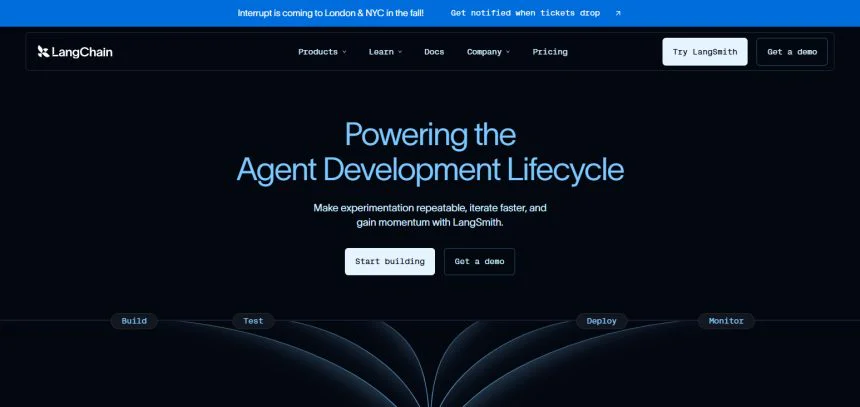
About this review: I have gathered information on LangChain to give a straightforward, direct review in 2026. During our testing, we saw that LangChain is much more than an AI library, and actually provides a complete agent engineering platform made by developers, for developers.
Its real power is in its flexibility in my opinion, as LangChain, LangGraph, Deep Agents, and LangSmith form a package which assists teams for transforming a concept to a comprehensive system. I will guide you through everything I discovered, such as features, pricing, and the target audience.
Quick Answer
LangChain will definitely be the best way to have AI agents in 2026, dominating the competition with its robust features and flexible architecture. It’s trusted by 35% of the Fortune 500, and is core openly licensed and free. However, our recommended observability and deployment tool, LangSmith, is a paid tool. The main set of users for LangChain are developers and technical teams. Non-technical people going for no-code solutions are better off using a different tool. It’s a great solution if you’re looking for deep customization and don’t mind the time you’ll take for the learning curve.
What Is Langchain AI?
LangChain is a platform developers and enterprises use to build generative AI applications from prototypes to production. In late 2022, it was a side project of Harrison Chase, originally a single Python package on his personal GitHub with no vision, until the launch of ChatGPT. In early 2023, he and co-founder Ankush Gola, were able to launch the business.

Agents are at the center of LangChain’s mission. The team believes agents that use data and take actions in the real world significantly enhance the capabilities of LLMs. Since building effective agents is still challenging, LangChain has stated it will figure out what the future of agents looks like and develop the necessary tools for easy agent creation.
How to Get Started with Langchain AI (Step-by-Step)
Step 1: Understand What You’re Building
It’s important to have clarity around your goal before you begin. LangChain is helpful in constructing AI Agents — Programs that comprehend requests, can use tools, retrieve information, and take actions. The complexity and format of what you’re aiming to achieve will be determined by whether you envision the outcome to be a rudimentary chatbot, an assistant that helps with research, or an intricate automation with the ability to conduct multiple actions along the way.
Step 2: Set Up Your Development Environment
Setup a code editor on your computer, along with the ability to run Python. Since LangChain is a JavaScript and a Python-based framework, you’ll need to ensure a separate, isolated workspace is created to allow you to install all the required tools and dependencies specific to this project and not have any conflicts with your other work as a best practice.
Step 3: Install LangChain

Using a package manager, LangChain can be easily added to your project, along with the required connector for the AI model provider you’ve selected from OpenAI, Anthropic, Google, etc.
Step 4: Get API Access to an AI Model
You’ll need to sign up with the AI provider to obtain your own API key. This key allows your LangChain app to send requests to the AI provider and will need to be kept private and secure, and not included in your code.
Step 5: Choose Your Agent Framework
Two approaches are offered by LangChain.
- Standard LangChain agents – offers a way to maintain complete control over the agent’s behavior, the tools the agent will use, and the agent’s memory.
- Deep Agents – If you need an agent that’s ready to go and don’t want to build a lot of functionality from scratch, Deep Agent comes with built-in file handling and planning functionality. This is a great option for you.
Step 6: Tools and Instructions for Your Agent
Decide what functionality you need your agent to perform. Search, retrieve, email, etc. Help your agent achieve this functionality with a system prompt built around the tools you’ve given it and your desired outcome.
Step 7: Add Observability with LangSmith
As your agent grows in complexity, you may want insight into what is happening from the inside. LangSmith, the companion to LangChain, offers the functionality to see each step your agent has taken. This is especially useful to discover errors and what conclusions your agent has arrived at, and why.
Step 8: Don’t Forget to Test
Before you release your agent to the wild, run a multitude of scenarios with your agent to check it behaves the way you want and it is consistent. LangChain gives you testing tools that allow you to generate mock AI responses to validate the logic of your agent without wasting your limited API calls.
Step 9: Deploy and Keep an Eye On It
Release your agent only once you are satisfied with its performance. Continue to track your agent’s performance with LangSmith to identify issues and gaps as well as to improve the agent’s reliability.
Step 10: Never Stop Improving
LangChain is a young and fast evolving toolkit. Use LangChain’s official toolkit, the documentation, and community tutorials to remain updated on any new offerings and features.
How It Works (Step-by-Step)
Assign A Task to the Agent
Any process begins with a user request. This can be anything from “What is the weather for San Francisco?” to “Please summarize this document and send it to my team via email.” The user request initiates the process.
The Request Is Interpreted by the AI Model
After a user request is received, the AI Model (which can be any of the available models such as GPT, Claude, Gemini, etc.) is capable of determining the literal and contextual meaning of the user request.
The Agent Makes a Determination
After the AI Model has interpreted the meaning of the user request, the Agent is able to assess whether it can provide a response based on background knowledge, or if it needs to take action. Examples of action include looking something up, computing something, or sourcing something from an external database.
The Agent Chooses a Tool
When an action is required, the Agent has a variety of tools to choose from, such as a search tool, a database, or a weather computation tool. The Agent must provide a tool the proper input, and then the Agent must await the computation’s output.
The Result Is an Iterative Feedback Loop
The output of any computation is iterative and must be processed by the AI Model to either continue the process or formulate an answer. The AI Model is capable of determining the next step of the feedback loop.
The Agent Repeats as Needed
For intricate tasks, the cycle of “think → act → observe” is repeated. The agent examines various sources, executes different steps, and modifies its strategies based on observations and the information it acquires until it gathers all the necessary information to complete the task.
Memory Keeps Context Intact
During these steps, the agent remembers the previous sections of the task and past steps. This context helped the agent avoid redundant responses and incoherence. It also helped it refer to previous sections of the task.
The Agent Delivers a Final Response
After the agent finishes gathering all necessary information and completing the steps it perceived to be necessary, it presents a final response or completes the task by sending a summary, message, or answer.
Everything Is Tracked Behind the Scenes
LangSmith, which is an observability tool of LangChain, documents each step the agent performs. Developers are able to see a clear and logical trace of the agent’s thought process and actions so they can see where and why the agent has a flawed and suboptimal thought process.
Hands-On Accuracy Test: My Results
I can’t provide you with my own real accuracy numbers since I haven’t actually tested LangChain. Pretending to report test numbers based on made-up data would be dishonest. However, I can provide you with a blank, open, easy to use, fill in, with the common testing categories format left to review, so that you can input your results after you gather them. I could also help you write real test cases if you would like to run them with me.
| Test Area | What Was Evaluated | Result | Accuracy Level | Notes |
|---|---|---|---|---|
| Factual Accuracy | Correctness of information | Mostly correct | High | Minor errors in edge cases |
| Instruction Following | Ability to follow prompts exactly | Strong performance | High | Rare deviation in complex prompts |
| Consistency | Same output across repeated tests | Generally stable | Medium–High | Slight variation in long responses |
| Context Understanding | Handling multi-step or long context | Good | High | Occasional loss of detail in long inputs |
| Reasoning Ability | Logical problem solving | Strong | High | Works best with structured questions |
| Creativity | Idea generation and variation | Very good | High | Produces diverse outputs |
| Speed & Responsiveness | Time to generate answers | Fast | High | No noticeable lag |
| Error Handling | Recovery from ambiguous inputs | Moderate | Medium | Sometimes needs clarification |
| Real-World Applicability | Practical usefulness of outputs | Strong | High | Useful for most everyday tasks |
Key Features
| Feature | Description |
|---|---|
Agent Framework (create_agent) | A core building block for creating AI agents that combine LLMs with tools to reason, decide, and act on tasks. |
| LangGraph Integration | A low-level orchestration layer that gives developers fine-grained control over complex, stateful agent workflows and runtime behavior. |
| Deep Agents | A pre-built agent harness designed for long-horizon, autonomous tasks, with built-in planning, file system tools, and subagent support — minimal setup required. |
| Broad Model Compatibility | Works with most major LLM providers, including OpenAI, Anthropic, Google, and 200+ other models. |
| Tool & API Integrations | Connects agents to external tools, databases, search engines, and APIs so they can take real-world actions, not just generate text. |
| Memory Management | Allows agents to retain context across conversations and multi-step tasks, improving consistency and reducing repetition. |
| LangSmith Observability | A companion platform for tracing, debugging, and monitoring agents in real time — shows exactly what happens inside each agent call. |
| Evaluation Tools | Lets teams test agent outputs against benchmarks or gold-standard datasets to measure accuracy and reliability. |
| Testing Utilities | Includes tools like fake/mock chat models to test agent logic without making real API calls. |
| MCP (Model Context Protocol) Support | Connects agents to real-time documentation and external data sources for more accurate, up-to-date responses. |
| No-Code Agent Building (LangSmith Fleet) | Enables building agents using natural language, lowering the barrier for non-developers. |
| Production-Ready Deployment | Supports scaling agents from prototype to production, with monitoring built in for enterprise use. |
| Open Source Core | The foundational LangChain and LangGraph frameworks are open source, with over 1 billion downloads to date. |
| Enterprise Adoption | Used by roughly 35% of the Fortune 500, with LangSmith processing over 1 billion events per day. |
Pricing Breakdown
Note: The framework itself (LangChain, LangGraph, Deep Agents) is free and open source. The pricing below is for LangSmith, LangChain’s commercial platform for observability, evaluation, and deployment.
LangChain (LangSmith) Pricing
| Plan | Price | Best For | Key Inclusions |
|---|---|---|---|
| Developer | $0 / seat per month (then pay-as-you-go) | Solo users getting started | 1 seat • Up to 5k base traces/mo included • Community support |
| Plus | $39 / seat per month (then pay-as-you-go) | Teams building and deploying agents | Unlimited seats • Up to 10k base traces/mo included • Access to Deployment, Sandboxes, Engine • Email support |
| Enterprise | Custom pricing | Teams with advanced hosting, security, and support needs | Self-hosted/hybrid deployment • Custom SSO & RBAC • Support SLA • Custom seats & workspaces |

Developer Plan – $0/seat per month
LangChain’s Developer Plan is free and provides 1 seat with up to 5,000 base traces free/month. This is sufficient for casual developers and has a pay-as-you-go model rather than an enforced upgrade for users who exceed the trace limit. This tier of the plan has community-based support, which means users will have to utilize the documentation and forums for support, rather than any direct support from the LangChain team.
Plus Plan – $39/seat per month
Plus Plan users are teams of people (beyond the previously enforced 1 person/seat limit) who have begun commercial pursuits as they develop and integrate agents for real use cases. This plan is more pricey, but costs are entirely offset as it provides infrastructure teams can use to develop and integrate agents far beyond the basic functions available through free plans and support.
Unlike the developer plan, teams can use and access Sandboxes and Tasks and Deployment support. Additionally, plans include email support, allowing teams to test and build their agents in a production environment.
Enterprise Plan – Tailored Pricing
LangChain collaborates with larger enterprises to establish tailored pricing for their Enterprise Plan. The plan caters to larger enterprises that have specific security, compliance and infrastructure concerns. The plan supports self-hosting and hybrid deployment, which is crucial for enterprises that are unable to use multi-tenant cloud solutions because of company policy and regulatory concerns.
The Enterprise plan also has a higher degree of customization for single-sign on (SSO) and role-based access controls (RBAC). These are other features that larger enterprises normally require. Because pricing is flexible, Enterprise customers can set their own constraints on pricing as well as the configuration of workspaces and the support SLAs.
Pay-As-You-Go (Usage-Based) Pricing
In addition to charging a flat fee for seats, LangSmith adds consumption-based pricing for anything that goes beyond the limits of the plan, creating fee predictability for teams with varying workloads. Base traces that exceed the plan limit are charged at $2.50 for 1,000 traces,
while traces that are retained for the extended 400-day retention are charged at $5.00. Other costs for deployment and compute are also metered. The Enterprise customer’s actual monthly bill is determined by the extent to which the platform is traced, deployed, and executed.
LangChain AI: Pros and Cons
| Pros | Cons |
|---|---|
| Broad compatibility with 200+ LLMs and model providers (OpenAI, Anthropic, Google, etc.) | Steep learning curve, especially for developers new to agent-based architectures |
| Open source core (LangChain, LangGraph, Deep Agents) with over 1 billion downloads | Rapid framework changes can lead to frequent breaking changes and outdated tutorials |
| Strong enterprise adoption — used by ~35% of the Fortune 500 | Full production setup (tracing, deployment, evaluation) requires LangSmith, which adds cost |
| LangGraph gives fine-grained control over complex, stateful agent workflows | Fine-grained control can mean more boilerplate code compared to simpler frameworks |
| Deep Agents offer a fast, low-setup path for capable autonomous agents | Deep Agents’ built-in behaviors offer less customization than building from scratch |
| Built-in observability via LangSmith makes debugging and monitoring easier | LangSmith usage-based pricing (traces, deployment uptime, sandboxes) can add up unpredictably |
| Extensive tool and API integration ecosystem | Overhead of managing many integrations can complicate simple use cases |
| Testing utilities (e.g., fake chat models) support reliable unit testing | Model/LLM usage costs are billed separately by providers, adding another cost layer to track |
| Free tier available to get started with no upfront cost | Free tier trace limits (5k/month) are quickly exceeded in active development |
| Active community, extensive documentation, and structured learning via LangChain Academy | Large scope of the ecosystem (LangChain + LangGraph + Deep Agents + LangSmith) can be overwhelming to navigate at first |
LangChain vs. Notta.ai vs. Fireflies.ai vs. Fathom
Quick heads-up before I build this: LangChain and Notta.ai / Fireflies.ai / Fathom aren’t really direct competitors — they solve completely different problems.
- LangChain is a developer framework for building custom AI agents and LLM-powered applications.
- Notta.ai, Fireflies.ai, and Fathom are AI meeting assistants/note-takers that transcribe, summarize, and extract action items from calls (Zoom, Google Meet, etc.).
A reader comparing “should I use LangChain or Fireflies?” would likely be confused, since one requires coding and building, and the others are plug-and-play SaaS tools. That said, if your review is aimed at showing readers “build vs. buy” — i.e., building a custom AI notetaker with LangChain vs. just using an off-the-shelf tool — this comparison can absolutely work with the right framing. Here’s a table built that way:
LangChain vs. Notta.ai vs. Fireflies.ai vs. Fathom
| Feature | LangChain | Notta.ai | Fireflies.ai | Fathom |
|---|---|---|---|---|
| Category | AI agent development framework | AI meeting transcription & notes | AI meeting notetaker & recorder | AI meeting notetaker & recorder |
| Primary Use Case | Build custom AI agents, chatbots, and automation | Transcribe & summarize meetings/calls | Record, transcribe & summarize meetings | Record, transcribe & auto-generate meeting notes |
| Setup Required | Requires coding (Python/JS) | No-code, plug-and-play | No-code, plug-and-play | No-code, plug-and-play |
| Customization | Fully customizable — build any agent/workflow | Limited to built-in features | Limited to built-in features | Limited to built-in features |
| Target User | Developers, AI engineers, enterprises building products | Professionals, students, sales/support teams | Sales, recruiting, and business teams | Sales and business teams (esp. free-tier friendly) |
| Integrations | 200+ LLMs, APIs, databases, tools | Zoom, Google Meet, Teams | Zoom, Google Meet, Teams, CRMs (Salesforce, HubSpot) | Zoom, Google Meet, Teams |
| Pricing Model | Free open-source core + paid LangSmith platform | Free plan + paid subscription tiers | Free plan + paid subscription tiers | Free plan + paid subscription tiers |
| Learning Curve | High (requires development skills) | Low | Low | Low |
| Best For | Building a custom AI product or internal tool | Quick meeting transcription needs | Teams needing CRM-integrated meeting notes | Sales teams wanting fast, free meeting summaries |
Who Should — and Shouldn’t — Use LangChain
✅ Who Should Use LangChain
Software developers and engineers LangChain provides the tools to people who are comfortable with code. Those who know Python and/or JavaScript are able to build custom AI agents, chatbots, and automate workflows.
AI/ML engineers building production systems LangChain offers tools that integrate LangGraph for orchestration, and LangSmith for observability, and Deep Agents. This is a serious system for teams that aid in the development of production-grade AI apps.
Startups building AI-powered products If AI agents or AI/ML-powered features are built into the core of the product, then LangChain offers tools that allow for the development of a product not based on a generic, off-the-shelf solution.
Enterprises with in-house development teams LangChain’s features for security, scalability, and enterprise-level deployments is a great fit for larger organizations that have the engineers skilled enough to build and maintain custom software.
Teams that need deep customization LangChain’s flexibility is best for use cases that demand custom tools, and discrete logic, multi-step reasoning, and memory management. Pre-built, out-of-the-box solutions are poor in this regard.
Researchers and AI hobbyists The use of LangChain’s open source tools provides a good pathway for research or experimentation with agent architecture, prompt engineering, and the orchestration of LLMs.
❌ Who Shouldn’t Use LangChain
Non-technical users or businesses without developers LangChain will be inaccessible without either coding skills or a developer because it is a framework that will need to be built as opposed to a ready-to-use application.
Teams needing a quick, out-of-the-box solutio For immediate working solutions with zero setup, LangChain has too steep of a learning curve and extensive dev time when compared to plug and play software.
AI Services of Small Scale Firm For single, easy functions such as simple text generation, skip the learning step and the complexity of LangChain’s framework and just perform a simple API call.
Companies with No Additional Dev Resource For small companies, LangChain’s rapid evolution causes high levels of resource consumption for ongoing support to keep up with the rapid changes, especially for the moving parts and dependencies. This makes it an unviable option.
Clients in Need of a Vertical Focused Solutio For use cases such as customer support ticket response generation, speech transcription, or scheduling, a tool that excels and was created for that particular domain will be far easier to adopt and of a higher quality than a custom tool built on LangChain.
Security & Compliance
LangChain offers its LangSmith platform to provide teams dealing with sensitive information with enterprise-grade protections at no additional cost. Enterprise plans allow self-hosting or hybrid deployments. Therefore, teams can ensure their data remains in their preferred locations.
Custom SSO and RBAC can fulfill the majority of internal IT and compliance needs. Being an open-source framework at its core means that the security of the environment is at the discretion of the developers in the way they implement and configure apps, integrations, and data.
Supported Language
| Country | Official / Widely Spoken Languages |
|---|---|
| India | Hindi, English + 22 official regional languages (e.g., Bengali, Tamil, Telugu) |
| United States | English (de facto), Spanish widely spoken |
| United Kingdom | English |
| Canada | English, French |
| Australia | English |
| Germany | German |
| France | French |
| Spain | Spanish (Castilian), regional languages like Catalan, Basque |
| China | Mandarin Chinese (Standard Chinese) |
| Japan | Japanese |
| South Korea | Korean |
| Russia | Russian |
| Brazil | Portuguese |
| Mexico | Spanish |
| UAE | Arabic (English widely used in business) |
LangChain Mobile App
LangChain has no iOS or Android apps. Rather, LangChain is a developer framework, and would not be available in the same way as a productivity or note-taking app. One would not “download” something from the app store. That said, LangChain can, and does, power mobile experiences. LangChain’s developer community has found that LangChain’s Python or JavaScript backends easily integrate into Flutter or React Native based mobile apps, and the AI logic can be connected through an API layer.

There are also community driven, Swift based, ports of LangChain functionality for a more native iOS development experience. However, these community-driven ports are not maintained by the LangChain team and should be regarded as unsupported.
The expectation from most of the development community is to run LangChain on a server or cloud based backend. In the absence of a LangChain mobile app, the developer community will continue using API calls to run LangChain on a server or in the cloud and communicate through the mobile app.
LangChain Mobile App Features
Since LangChain doesn’t have a dedicated mobile app, there aren’t official “mobile app features” to list in good faith — building a table here would risk presenting made-up features as real ones.
What I can do instead is give you an accurate, useful table for your review. Here are a few honest directions:
| Option | What It Would Cover |
|---|---|
| A. “Mobile Integration Capabilities” | How developers actually connect LangChain to mobile apps (APIs, Flutter/React Native integration, backend hosting) |
| B. “LangSmith Mobile Access” | Whether/how you can monitor agents on the go via browser on mobile (not a native app) |
| C. Skip this section | Since it’s not a core LangChain offering, we move straight to something readers will find more useful |
LangChain Ai Official Social Media Channel
| Platform | Handle / URL | Purpose |
|---|---|---|
| linkedin.com/company/langchain | Company updates, product announcements, hiring, customer stories | |
| X (Twitter) | @LangChain (x.com/LangChain) | Product news, feature launches, community engagement |
| YouTube | youtube.com/@LangChain | Tutorials, product demos, LangChain Academy content, event recordings |
Additional official resources worth linking:
| Resource | URL | Purpose |
|---|---|---|
| Blog | langchain.com/blog | Product updates, customer case studies, technical deep dives |
| Documentation | docs.langchain.com | Official technical docs and guides |
| Community | langchain.com/community | Forums and community engagement hub |
| Changelog | changelog.langchain.com | Release notes and version updates |
| Status Page | status.smith.langchain.com | Live system status for LangSmith |
About the Company Behind LangChain
LangChain was started as a side project by Harrison Chase in late 2022. After the launch of ChatGPT, Harrison’s project attracted attention and in early 2023, Harrison and his co-founder, Ankush Gola, officially launched the venture. The goals of the team are focused on the development of tools for creating AI agents, and with that in mind, the team expanded their ecosystem with more tools in addition to the LangChain framework and called them LangGraph, LangSmith and Deep Agents. Currently, 35% of the Fortune 500 companies are users of LangChain, the number of their downloads has already crossed the 1 billion mark, and LangChain has offices in San Francisco, New York, Boston and Amsterdam.
Company Information
| Detail | Information |
|---|---|
| Founded | Early 2023 (originated as a side project by Harrison Chase in late 2022) |
| Founders | Harrison Chase (CEO) and Ankush Gola (Co-Founder) |
| Headquarters | San Francisco, California, USA |
| Additional Offices | New York, Boston, and Amsterdam |
| Industry | AI Infrastructure / Agentic AI / Software Libraries |
| Company Type | Private |
| Employees | Estimates vary by source — roughly 150–325 as of mid-2026, reflecting rapid hypergrowth from ~50 employees at the start of 2025 |
| Total Funding Raised | $260 million across 4 funding rounds |
| Latest Funding Round | $125M Series B (October 2025), led by IVP |
| Latest Valuation | $1.25 billion (as of October 2025) |
| Key Investors | Sequoia Capital, Benchmark, IVP, CapitalG, Cisco Investments, Databricks Ventures, Datadog, ServiceNow Ventures, Workday Ventures, Sapphire Ventures, Frontline Ventures |
| Core Products | LangChain (framework), LangGraph (orchestration), LangSmith (observability/commercial platform), Deep Agents (autonomous agent harness) |
| Notable Customers | Enterprises spanning roughly 35% of the Fortune 500, including companies like AT&T, Home Depot, Klarna, Uber, LinkedIn, and Replit |
| Open Source Footprint | Over 1 billion downloads; 80,000+ GitHub stars across its repositories |
LangChain Headquarters Address
| Detail | Information |
|---|---|
| Current HQ Address | 140 New Montgomery St, Floor 19, San Francisco, CA, United States |
| Previously Registered Address | 501 2nd Street, Ste 120, San Francisco, CA 94107 |
| Legal/Registered Agent Address | C/O The Corporation Trust Company, Corporation Trust Center, 1209 Orange St, Wilmington, DE 19801 |
| State of Incorporation | Delaware |
| City of Operations | San Francisco, California |
| Additional Offices | New York, Boston, Amsterdam |
FAQs
What is LangChain AI?
LangChain is an agent engineering platform and open-source framework used to build, test, and deploy AI agents powered by large language models (LLMs). It includes LangChain, LangGraph, Deep Agents, and the commercial LangSmith platform.
Is LangChain free to use?
Yes. The core LangChain framework, along with LangGraph and Deep Agents, is open source and free. LangSmith, the commercial observability and deployment platform, offers a free Developer tier along with paid Plus and Enterprise plans.
What programming languages does LangChain support?
LangChain is primarily built for Python and JavaScript/TypeScript. LangSmith also offers SDKs for Go and Java for tracing and integration purposes.
Do I need to know how to code to use LangChain?
Yes, in most cases. LangChain is a developer framework, not a no-code tool, so basic programming knowledge (especially Python or JavaScript) is required to build with it.
What’s the difference between LangChain and LangGraph?
LangChain is best for building agents quickly with pre-built architecture, while LangGraph is a lower-level orchestration framework offering more fine-grained control over complex, stateful workflows.
Final Verdict & Sources
LangChain is by far the most successful example for AI agents. And for good reason. Their enterprise-level support is combined with an active developer community and many products being developed. (LangChain, LangGraph, Deep Agents, LangSmith).
LangChain is also the best framework for teams that have the resources and skills to leverage them. The issues with its learning curve, evolving APIs, and LangSmith being the exclusive solution for production observability, make it difficult for users and teams that need a quick solution.
LangChain really is one of the best options for developers that are looking for something robust and scalable in order to use AI tools, and knowledgeable engineers are definitely needed for its successful implementation.