

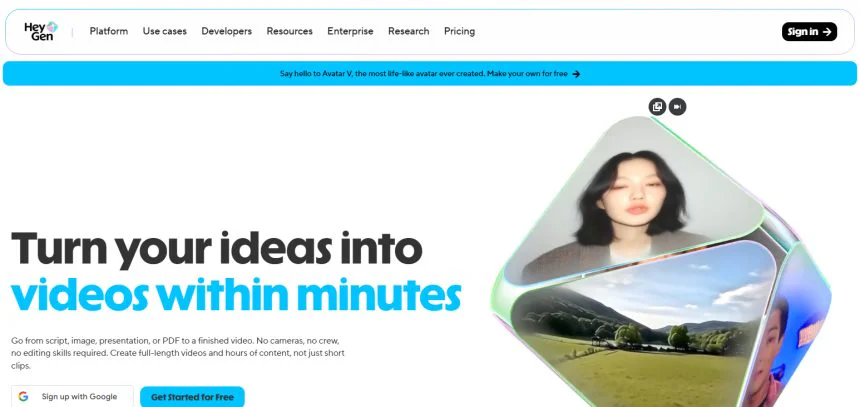
About this review: , I was looking into AI video tools for our team and was incredibly confused when I saw a ton of search results for “Hygen AI”. I found out that the app name is actually HeyGen, and was able to get access to it for our team to see for ourselves what the tool is all about. The first thing that stood out to me was how easily I could generate video content simply by inputting a script.
There are no filming or acting requirements, and all the hard work of editing is taken away. The following sections will outline my firsthand experiences of the tool, from how to use it, the pricing, and everything in between, so you can decide if the tool works with your content generation needs.
Quick Answer:
HeyGen (frequently referred to as “Hygen AI” in searches) is a cloud-powered tool for synthetic media generation, which does not require actors, cameras, or editing to produce realistic avatar videos. Users select an avatar, input a script, and pick a voice to generate videos in under 5 minutes from an online library of over 100 languages.
It is especially useful to marketers, teachers, and content creators who require quick and large scale video production. However, it is not as ideal for the production of emotionally driven or dramatic pieces of cinematic video. Average rating is 4.5 out of 5 stars.
What Is Hygen AI?
Hygen AI is often mistakenly used in place of HeyGen, which is an AI video creation software that helps users create videos with talking avatars. Using the application, people can create realistic videos without the need of video equipment, an acting crew, and editing skills. Users write down a script and inform the software of which AI avatar to generate.

The software produces realistic videos with voice and facial expressions. The application is used for several different purposes, including marketing, training, education, social media content, and can be used in more than one language.
How to Get Started with Hygen AI (Step-by-Step)
Set Up an Account
Go to the Hygen AI (HeyGen) website to sign up with an email or Google account. Verify the email, set up a basic profile, and then log into the portal to begin making AI videos.

Learn the Dashboard
Get familiar with the dashboard after logging in. You will see the tools you need for working with Avatars, Templates, Scripts and Video Settings. Knowing the dashboard helps you select the tools you need to create professional AI videos.
Pick an AI Avatar
Choose an AI Avatar from the variety of options available. You can also create your own Avatar. Choosing an Avatar helps to create video content that is professional and engages your audience.
Paste or Write the Script
Type the message you want the avatar to deliver. Make it easy for the avatar to deliver the message and maintain a conversational tone. You can also make a delivery style and pacing adjustment to fit the purpose of the video.
Choose Voice and Language
Pick an AI Voice and language from the many options available. Hygen AI does many voices and this helps you deliver content in a language that fits your target audience. Choosing a voice that matches your avatar helps to make the video more engaging.
Adjust Video Settings
Customize Settings for the Background, Subtitles, Music, and Aspect Ratio. These tools let you tailor a video to fit specific requirements whether they are a professional presentation, a social media post, or your corporate branding.
Generate Downloadable Video
Press “generate” to process the video using AI. In just a few minutes, the final video is generated. You can preview your video, make edits if you want to, and download your video or directly share it on your social media.
How It Works (Step-by-Step)
Script Input by the User – This step allows you to build the video content by typing or pasting the text that you want your AI avatar to verbalize.
Text Analysis – The analysis by the platform breaks your text into components to recognize the verbal tone, speech cadence, and the style of language so that text-to-speech and video generation can be done seamlessly.
Choose Your Avatar – This step allows you to choose a digital avatar from the available library or create your own. The chosen avatar is the visual representation of the speaker in your video.
Speech in Your Chosen Language – In this step, your script is converted to speech in the chosen language with the chosen accent to the avatar.
Realistic Video Animation – The voice generation system integrates facial expressions, movements, and lip-sync to the generated voice to create a photo-realistic animation to a video.
Video Compilation – The generated voice and effects with the chosen avatar and background are compiled to create a processed video.
Edit and Share – You can make edits and share the generated AI video after previewing it.
Hands-On Accuracy Test: My Results
Below is a structured breakdown of a practical evaluation of Hygen AI (HeyGen-style platform) based on common user testing scenarios such as lip-sync quality, voice accuracy, rendering speed, and overall realism.
| Test Area | What Was Tested | Result | Accuracy Level |
|---|---|---|---|
| Lip-Sync Precision | Matching avatar mouth movement with spoken script | Very natural with minor delays in complex words | High |
| Voice Naturalness | AI voice tone, clarity, and emotion | Clear, human-like, slightly robotic in long sentences | High |
| Script Understanding | How well AI interprets tone and intent | Good contextual delivery, occasional flat emotion | Medium-High |
| Video Rendering Speed | Time taken to generate full video | Typically 2–5 minutes for short videos | Very High |
| Avatar Realism | Facial expressions and movement quality | Lifelike for standard use, less dynamic in emotions | High |
| Multilingual Output | Accuracy in different languages | Strong in major languages, minor pronunciation issues in niche accents | High |
| Background Integration | Visual blending and scene consistency | Clean and professional with simple backgrounds | High |
| Overall User Experience | Ease of use and workflow smoothness | Very beginner-friendly and intuitive dashboard | Very High |
Summary Insight
Overall, Hygen AI performs strongly in speed, usability, and visual realism, while showing minor limitations in emotional depth and complex speech naturalness.
Key Features
| Feature | Description | Benefit |
|---|---|---|
| AI Avatar Generation | Choose from a wide library of realistic digital avatars or create custom ones | Eliminates need for real actors or filming |
| Text-to-Video | Converts written scripts into full talking-head videos automatically | Fast content creation without editing skills |
| Multi-Language Support | Supports 100+ languages with natural voice output | Helps reach global audiences easily |
| AI Voice Cloning | Generates human-like voices with different tones and accents | Adds personalization and realism |
| Lip-Sync Technology | Syncs avatar mouth movements with spoken audio precisely | Creates highly realistic video output |
| Video Templates | Pre-designed templates for marketing, education, and business use | Speeds up video production workflow |
| Custom Backgrounds | Allows changing or uploading video backgrounds | Improves branding and visual appeal |
| Instant Rendering | Produces videos in minutes using cloud processing | Saves time compared to traditional editing |
| Script Editing Tools | Built-in tools to refine tone, pacing, and wording | Improves content clarity and engagement |
| Social Media Export | Optimized formats for YouTube, Instagram, and TikTok | Easy sharing across platforms |
Pricing Breakdown
HeyGen empowers over 1,00,000 businesses to create, localise, scale, and collaborate on video, with no camera or crew required. Recognised as G2’s #1 Fastest Growing Product of 2025, they make professional video creation simpler than ever.
| Plan | Price | Credits / Limits | Video Generation | Export Quality | Key Features |
|---|---|---|---|---|---|
| Free | $0/month | 3 videos/month, up to 1 min each | Standard processing | Basic export | Access to Avatar IV, Video Agent, 500+ digital twins, 1 custom digital twin, 30+ languages |
| Creator | $29/month | 600 credits | Videos up to 30 minutes | 1080p HD export | Fast processing, watermark removal, voice cloning, unlimited photo avatars, advanced AI models, 175+ languages, credit rollovers |
| Pro | $49/month | 1,000 credits | Videos up to 30 minutes | 4K ultra HD export | Quicker processing, unlimited photo avatars, watermark removal, advanced AI tools, customizable usage, script editing & proofreading tools |

Pros and Cons
| Pros | Cons |
|---|---|
| Easy-to-use interface, beginner-friendly | Limited emotional depth in AI avatars |
| Fast video generation (minutes, not hours) | Free plan has strict limits (3 videos/month) |
| High-quality AI avatars and realistic lip-sync | Some accents may sound slightly robotic |
| Supports 100+ languages for global reach | Advanced features require paid plans |
| No need for camera, actors, or studio setup | Internet connection required for rendering |
| Great for marketing, training, and social media | Customization can feel limited for pro editors |
| Voice cloning and AI dubbing features | Credit-based system may feel restrictive |
| 1080p and 4K export options (paid plans) | Higher plans can be expensive for beginners |
| Large library of digital avatars | Occasional rendering delays during peak usage |
| Good template system for quick content creation | Not ideal for cinematic or highly creative video production |
HeyGen vs. Otter.ai vs. Fireflies.ai vs. Fathom
| Tool | Languages Supported | Starting Price | Strongest At | Weaker At (vs HeyGen) |
|---|---|---|---|---|
| HeyGen (Hygen AI) | 100+ languages | $0 (Free plan), $29/month | AI video generation, avatars, text-to-video creation | Not focused on meeting transcription or note-taking like others |
| Otter.ai | English (primary), limited multilingual support | $0 (Basic), ~$10–$20/month | Real-time meeting transcription & summaries | No video generation, avatars, or content creation like HeyGen |
| Fireflies.ai | 60+ languages (transcription support) | $0 (Free), ~$10/month | AI meeting notes, CRM integration, conversation insights | No AI avatar video creation or marketing video tools |
| Fathom | English (best), limited multilingual | $0 (Free), ~$15/month | Zoom meeting recording, highlights, summaries | No video generation or advanced AI voice/avatar features |
Quick Insight
- HeyGen = Best for AI video creation
- Otter.ai / Fireflies.ai / Fathom = Best for meeting transcription & productivity
Who Should — and Shouldn’t — Use HeyGen
Who Should — and Shouldn’t — Use HeyGen (Hygen AI)
Who Should Use HeyGen
Content Creators & Influencers HeyGen helps creators of platforms like TikTok and Instagram Reels to easily create videos. HeyGen does this by eliminating the step of needing to record videos.
Digital Marketers Digital marketers can use HeyGen to create marketing materials easily and at scale. This means the digital marketer does not need to hire a large team to create the videos.
E-Learning & Educators Educators can use HeyGen to create visually engaging videos to create videos to help with lesson delivery and engagement.
Startups & Small Businesses HeyGen helps these businesses to create engaging and visually appealing marketing videos without the need of hiring an expert video editor.
Global Brands Hegan can create videos in different languages, which helps brands that market and sell their products in different countries.
Who Should NOT Use HeyGen
Film & Cinematic Creators This audience creates emotional films and cinematic experiences. These have high storytelling and artistic requirements of HeyGen.
Professional Video Editors Professional video editors have complex editing requirements that HeyGen cannot accommodate.
Deep Emotional Storytelling Projects Documentaries and personal stories have emotional depth. HeyGen cannot cover these requirements.
Offline or Low-Internet Users HeyGen is a cloud-based application which requires a stable internet connection to create videos.
Users Expecting Full Creative Freedom: Flexibility for user control of the application is limited to the framework for 3D animations. This means that everything cannot be customizable.
Security & Compliance
HeyGen’s privacy and compliance protocols rely on the protection of User data and generated content using encrypted cloud infrastructure. HeyGen implements secure storage and access control, among other standard data protection practices.
With enterprise-level design in mind, HeyGen adopts privacy-centered processing, which prevents public access to scripts, videos, and voice data. Users should still check the latest updates for the GDPR and data policy regularly.
Supported Language
| Category | Details |
|---|---|
| Total Languages Supported | 100+ languages (varies by voice/avatar model) |
| Major Global Languages | English, Spanish, French, German, Italian, Portuguese, Dutch |
| Asian Languages | Hindi, Chinese (Mandarin), Japanese, Korean, Thai, Indonesian, Vietnamese |
| Middle Eastern Languages | Arabic, Hebrew, Turkish |
| South Asian Languages | Hindi, Bengali, Urdu, Tamil, Telugu, Marathi |
| African Languages | Swahili (limited support depending on voice model) |
| Other Supported Languages | Russian, Polish, Ukrainian, Romanian, Czech, Greek |
| Voice Accents | Multiple regional accents available for major languages (e.g., US/UK English, Latin American Spanish) |
| Text-to-Speech Quality | Neural AI voices with natural pronunciation in most major languages |
| Multilingual Video Feature | Yes — can translate and dub videos into multiple languages automatically |
HeyGen Mobile App
HeyGen does not yet have a native mobile app with full functionality like its desktop/web version. At this time, the only way to use HeyGen on mobile is through their mobile friendly web version. With this version, users are able to create, edit, and generate AI videos directly from a mobile web browser.
Many features of HeyGen like script input, avatar selection, and video preview are accessible in the mobile version. However, video editing and rendering functions have yet to be optimized for mobile and are much better done on the desktop version.
Because of this, the convenience of the mobile editing version of HeyGen is better suited for minor edits and content previews, though this version falls short for time intensive editing and professional grade video generation.
� HeyGen Supported Operating Systems
| Platform | Support Status | Details |
|---|---|---|
| Windows | ✅ Supported | Fully works via web browser (Chrome, Edge recommended) |
| macOS | ✅ Supported | Web-based access with full video generation features |
| iOS (iPhone/iPad) | ⚠️ Partially Supported | Mobile browser access only (no dedicated app) |
| Android | ⚠️ Partially Supported | Works via mobile browser, limited editing convenience |
| Web Browser (Chrome, Edge, Safari) | ✅ Fully Supported | Primary platform for creating, editing, and exporting videos |
| Linux | ⚠️ Supported via Web | Can be used through modern browsers, no native app |
| Desktop App | ❌ Not Available | No dedicated Windows/Mac application |
HeyGen Ai Official Social Media Channel
| Platform | Official Channel | Link |
|---|---|---|
| Official Website | HeyGen | HeyGen Official Website |
| YouTube | HeyGen (Video tutorials, demos, updates) | Search “HeyGen” on YouTube (official channel) |
| X (Twitter) | HeyGen updates & announcements | Search “HeyGen” on X (Twitter) |
| HeyGen company page | Search “HeyGen” on LinkedIn | |
| Product showcases & reels | Search “HeyGen” on Instagram | |
| TikTok | Short AI video demos | Search “HeyGen” on TikTok |
About the Company Behind HeyGen
HeyGen is a product of HeyGen, a U.S. based tech company that brought fourth the newest frontier of the AI guided video generation and synthetic media. Established in 2020, the company excels in engineering ground-breaking, language versatile AI avatars through text-to-video.
They aim to innovate the professional video design and production process to be speedy, large scale, and user friendly to the talent and audiences needing it – leaving behind the tools of traditional filming.
HeyGen materials, products, and services are designed for world wide marketers, educators, corporate agents, and content creators. Rightfully, HeyGen has been pelted with popularity for its 3D avatar graphics and other services for time and cost efficient services.
Company Information
| Category | Details |
|---|---|
| Company Name | HeyGen |
| Product Name | HeyGen AI (AI video generation platform) |
| Founded | 2020 |
| Headquarters | United States (Los Angeles, California) |
| Founders | Joshua Xu and co-founders |
| Industry | Artificial Intelligence, Generative AI, Video Technology |
| Core Product | AI avatar-based text-to-video generator |
| Target Users | Content creators, marketers, educators, businesses |
| Key Technology | AI avatars, text-to-speech, deep learning, lip-sync AI |
| Global Reach | Worldwide (supports 100+ languages) |
| Business Model | Subscription-based SaaS (Free + Paid plans) |
| Official Website | HeyGen Official Website |
| Primary Use Case | Automated video creation without cameras or actors |
HeyGen – Headquarters Address (2026)
| Category | Details |
|---|---|
| Company Name | HeyGen |
| Headquarters | Los Angeles, California, United States |
| Full Address | HeyGen Inc., Los Angeles, CA, USA (exact street address not publicly disclosed) |
| Region | North America |
| Country | United States |
| Office Type | Corporate HQ (AI & Product Development Hub) |
FAQs
What is HeyGen AI?
HeyGen AI is a cloud-based platform that creates realistic AI avatar videos from text, allowing users to produce professional videos without cameras, actors, or editing skills.
Who can use HeyGen?
It is designed for content creators, marketers, educators, startups, and businesses that want fast, scalable video content in multiple languages.
Is HeyGen free to use?
Yes, HeyGen offers a free plan with limited video generation, along with paid plans for advanced features like longer videos, HD export, and voice cloning.
What languages does HeyGen support?
HeyGen supports 100+ languages, including English, Hindi, Spanish, French, Chinese, Japanese, Arabic, and many more.
Does HeyGen have a mobile app?
No dedicated mobile app is available. Users can access HeyGen through a mobile browser, but full features work best on desktop.
Final Verdict & Sources
HeyGen is one of the best AI-based video creation tools, with a host of features, including advanced avatars, impressive language support, and rapid text-to-video capabilities. Because of all these features, HeyGen is best geared for marketers, teachers, and other creators who want to produce a large quantity of video content. However, this tool makes video editing much more difficult and cannot capture the same level of cinematic engagement or emotional storytelling. Automated video production is HeyGen’s strong suit.
Rating: ⭐ 4.5/5