

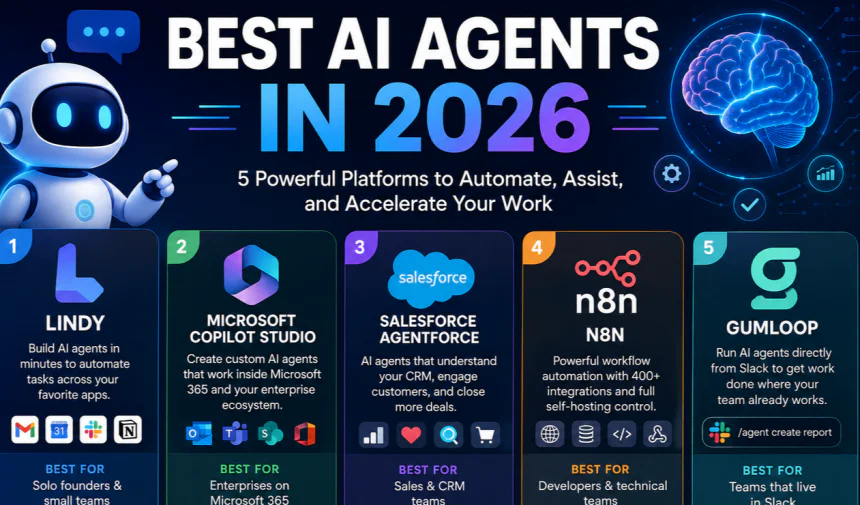
Most “top AI agents” roundups online are the same five names reshuffled, written by someone who read the marketing pages and never opened the product.
I didn’t want to add another one of those. For this list, I picked five AI agent platforms that genuinely solve different problems — not five versions of the same thing — and I evaluated each one against three questions: how fast can a non-technical person actually get value from it, what does it cost once you’re past the free tier, and where does it break down in real use. Pricing and feature claims below are checked against each company’s official pages as of this update; anything I haven’t personally tested is labeled as such.
Why “Best AI Agent” Is the Wrong Question
Here’s something most listicles won’t tell you upfront: there is no single “best” AI agent in 2026, because “AI agent” now covers at least four genuinely different categories of product — a no-code assistant that drafts your emails, an enterprise platform that automates approvals inside Microsoft 365, a CRM-native agent that works your sales pipeline, and an open-source framework a developer self-hosts on their own servers.
Comparing them on one scale is like ranking a scooter against a freight truck because both have wheels.
So instead of forcing five tools into a fake “#1 vs #5” ranking, this list groups each platform by the specific job it’s actually good at — which is the question you should be asking before you read a single feature list.
Quick Comparison Table
| Platform | Best for | Setup difficulty | Starting price | Standout strength |
|---|---|---|---|---|
| Lindy | Solo founders & small teams automating email/scheduling | Low — no code | Credit-based, free tier available | Fastest time-to-first-working-agent |
| Microsoft Copilot Studio | Enterprises already on Microsoft 365 | Medium — guided builder | ~$21–30/user/month (Copilot license) | Native access to Teams, SharePoint, Outlook data |
| Salesforce Agentforce | Sales/CRM teams wanting agents inside existing pipeline | Medium | Enterprise pricing (custom) | Agents act directly on live CRM records |
| n8n | Technical teams needing self-hosted control | High — some coding helps | Free self-hosted / Plus from ~$49.99/month | Full data control, 400+ connectors |
| Gumloop | Teams that live in Slack and want agent workflows there | Low-Medium | Free tier / Pro from ~$37/month | Trigger agents directly from a Slack tag |
Pricing reflects publicly listed rates as of mid-2026 and may change — confirm current numbers on each provider’s site before relying on them.
1. Lindy — Best for Solo Founders and Small Teams
If you’re not technical and you just want an AI agent that handles your inbox, books meetings, and follows up on leads without you building a workflow diagram first, Lindy is the one I’d point a friend to.
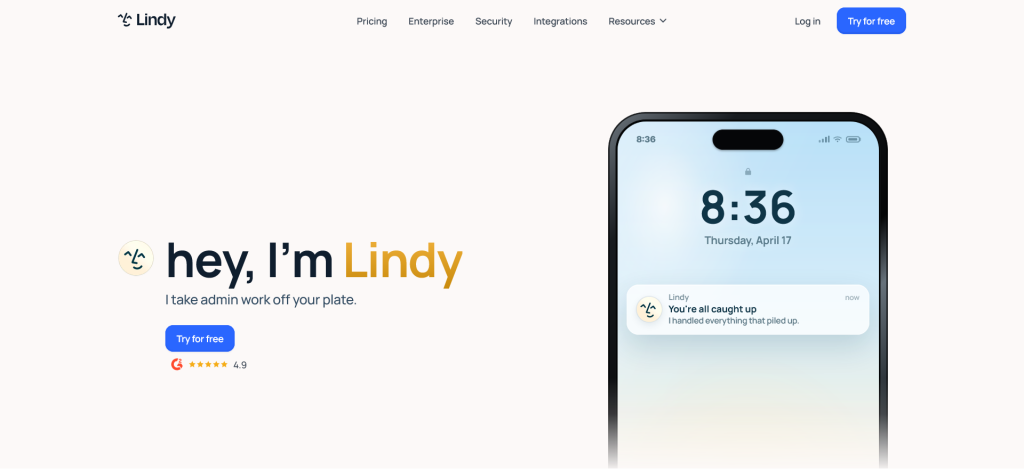
What stands out isn’t a single flashy feature — it’s how little setup stands between “I have an idea” and “the agent is running.” You describe the task in plain language, pick a template or start from scratch, and it’s usually live within minutes rather than requiring a half-day of configuration.
Where it’s strong: Genuinely fast onboarding for non-technical users, and it holds up reasonably well across multi-step tasks like pulling info from one tool and acting on it in another.
Where it’s weaker: It’s built for individuals and small teams, not enterprise-scale governance — if you need audit trails, per-team access controls, or deployment inside a regulated environment, look further down this list instead.
Best for: Founders, freelancers, and small sales/support teams who want a working agent today, not after a procurement cycle.
Lindy Pricing
- Free Plan – Includes a limited number of AI credits each month, allowing users to create and test AI agents for email, scheduling, and basic workflow automation.
- Pro Plan (Starting from ~$49/month) – Designed for individuals and growing businesses, offering more AI credits, additional integrations, advanced automation, and higher usage limits.
- Business Plan – Includes team collaboration, shared workspaces, advanced permissions, and larger automation capacity. Pricing is available upon request.
- Enterprise Plan – Custom pricing for large organizations requiring dedicated support, enhanced security, custom integrations, and enterprise-scale AI deployments.
Lindy Key Features
- AI Email Assistant – Automatically reads, drafts, summarizes, and replies to emails based on your instructions, helping reduce manual email management.
- Meeting Scheduling – Coordinates calendars, finds available time slots, sends invitations, and handles meeting confirmations without human intervention.
- AI Phone Calls – Makes and receives phone calls using AI to confirm appointments, qualify leads, or communicate with customers.
- No-Code AI Agent Builder – Create custom AI agents using a visual interface without writing code, making automation accessible to non-technical users.
- Gmail & Google Calendar Integration – Connects directly with Google Workspace to manage emails, events, reminders, and scheduling automatically.
- Slack Integration – Allows AI agents to send updates, answer questions, trigger workflows, and collaborate with team members directly in Slack.
- CRM Integration – Syncs customer information with popular CRM platforms so AI agents can manage contacts, leads, and follow-up tasks.
- Custom Workflow Automation – Build multi-step automation that connects different applications and performs repetitive business processes automatically.
- AI Memory – Remembers previous conversations and user preferences to deliver more personalized and context-aware interactions.
- API & Webhook Support – Integrates with external applications and custom software through APIs and webhooks for advanced automation.
- Team Collaboration – Supports multiple users with shared workspaces, permissions, and collaborative AI workflow management.
- Document Processing – Generates reports, extracts information from documents, and automates document-based business operations.
2. Microsoft Copilot Studio — Best for Microsoft 365 Enterprises
If your company already runs on Teams, Outlook, SharePoint, and Dynamics, Copilot Studio has a structural advantage no standalone agent platform can match: it doesn’t need to convince your IT department to adopt a new system from scratch, because it plugs directly into the work surfaces your company already uses.

Through 2026, Microsoft has been pushing this further — agents built in Copilot Studio can access enterprise data and work within organizational policies and existing security boundaries, and the guided builder is designed to be usable by business teams, not just developers.
Where it’s strong: If you’re already paying for Microsoft 365 licenses, the integration depth into your existing tools and data is hard for outside platforms to replicate.
Where it’s weaker: You’re locked into the Microsoft ecosystem — if a meaningful chunk of your stack lives outside it, you’ll be doing extra integration work, and pricing tied to Copilot licenses can add up faster than a flat SaaS subscription.
Best for: Enterprises already invested in Microsoft 365 that want agents managed under existing governance and licensing rather than a separate tool.
Microsoft Copilot Studio Pricing
- Microsoft 365 Copilot License (~$30/user/month) – Enables organizations to create and use AI copilots within Microsoft 365 applications such as Teams, Outlook, Word, Excel, and SharePoint.
- Copilot Studio Standalone – Usage-based pricing for businesses that want to build custom AI agents without purchasing Microsoft 365 Copilot for every user.
- Enterprise Plans – Custom pricing with enterprise governance, security, compliance, and advanced AI capabilities.
Microsoft Copilot Studio Key Features
- Custom AI Agent Creation – Build intelligent AI assistants tailored for customer support, HR, IT help desks, sales, and internal business processes.
- Microsoft Teams Integration – Deploy AI agents directly inside Microsoft Teams so employees can access AI assistance without leaving their collaboration workspace.
- SharePoint Knowledge Search – Allows AI agents to search internal company documents, policies, manuals, and knowledge bases to provide accurate responses.
- Outlook Email Automation – Helps automate email drafting, summarization, follow-ups, and inbox management within Microsoft Outlook.
- Power Platform Connectivity – Integrates with Power Automate, Power Apps, and Power BI to automate workflows and business operations.
- Azure AI Integration – Leverages Microsoft’s Azure AI services to power advanced language models, document understanding, and AI reasoning capabilities.
- Enterprise Security & Compliance – Includes Microsoft Entra ID authentication, role-based permissions, compliance controls, and enterprise-grade security.
- Multi-Agent Orchestration – Enables multiple AI agents to collaborate on complex tasks by sharing information and coordinating workflows.
- Low-Code Development – Create AI agents using drag-and-drop tools and visual workflows with minimal coding requirements.
- Analytics Dashboard – Tracks AI agent usage, conversations, performance metrics, and user engagement through built-in reporting tools.
- Website & Application Deployment – Publish AI agents across websites, mobile apps, Microsoft Teams, and other digital platforms.
- Custom Connectors & Plugins – Extend AI capabilities by integrating with third-party applications, APIs, and enterprise software.
3. Salesforce Agentforce — Best for Sales Teams Living in a CRM
There’s a specific kind of pain Agentforce solves: sales reps who spend more time logging notes and updating fields than actually selling. Rather than being a general-purpose assistant, Agentforce is built to act directly inside Salesforce’s own data — qualifying leads, updating records, and triggering follow-ups without a rep manually touching the CRM for routine work.

This is the platform on this list I’d steer you away from if Salesforce isn’t already your CRM. Its value is almost entirely tied to how deep you already are in the Salesforce ecosystem; outside of that, it’s not the right tool for general automation.
Best for: Salesforce-centric sales and customer success teams that want agents running on live CRM data rather than a separate automation layer.
Salesforce Agentforce Pricing
- Salesforce Foundations – Free entry-level access for eligible Salesforce customers to explore Agentforce capabilities.
- Flex Credits ($500 per 100,000 credits) – Consumption-based pricing where AI actions use credits instead of fixed monthly subscriptions.
- Enterprise Pricing – Custom pricing based on organization size, Salesforce products, and AI usage requirements.
Salesforce Agentforce Key Features
- CRM-Native AI Agents – AI operates directly inside Salesforce CRM, allowing agents to access live customer records without manual data transfers.
- Lead Qualification – Automatically evaluates incoming leads, assigns priority scores, and routes prospects to the appropriate sales representatives.
- Sales Automation – Assists sales teams by generating follow-up emails, updating CRM records, scheduling meetings, and managing opportunities.
- Customer Service Automation – Resolves customer inquiries, creates support cases, recommends solutions, and escalates complex issues when needed.
- Real-Time Salesforce Data Access – AI agents work with live customer information, ensuring responses are always based on the latest CRM data.
- Einstein AI Integration – Combines Salesforce’s Einstein AI capabilities with autonomous AI agents for predictive insights and intelligent recommendations.
- Workflow Automation – Automates repetitive CRM tasks such as approvals, notifications, record updates, and customer follow-up processes.
- Data Cloud Integration – Connects customer information from multiple sources into a unified profile for more personalized AI interactions.
- Low-Code Agent Builder – Business users can design AI agents using visual tools instead of traditional software development.
- Enterprise Governance – Includes access controls, compliance management, auditing, and security policies for enterprise deployments.
- Performance Analytics – Monitors AI performance, customer interactions, resolution rates, and business outcomes through advanced reporting.
- Scalable Enterprise Deployment – Supports organizations with thousands of users while maintaining security, performance, and reliability.
4. n8n — Best for Technical Teams That Need Full Data Control
n8n is the odd one out on this list in a good way: it’s open-source, and you can self-host it entirely on your own infrastructure. For companies handling sensitive data — healthcare, legal, finance — that’s not a nice-to-have, it’s often the actual deciding factor, since self-hosting lets a business keep full control over where its information lives instead of trusting a third-party cloud.

It ships with a visual builder that’s approachable for non-developers, but the platform really opens up once someone on the team is comfortable dropping into code. With roughly 400 pre-built connectors and the ability to call any API directly, it covers most integration needs without forcing you into a fully custom build.
Where it’s weaker: The learning curve is real. This isn’t the platform to hand a non-technical operations manager and expect results by Friday.
Best for: Technical teams, regulated industries, or anyone who’d rather own their automation infrastructure than rent it.
n8n Pricing
- Self-Hosted (Free) – Install n8n on your own server with unlimited workflow creation and full control over your data.
- Starter Cloud (Starting from ~$24/month) – Managed cloud hosting with essential workflow automation features.
- Pro Plan (Starting from ~$49.99/month) – Includes higher execution limits, collaboration tools, premium support, and advanced automation features.
- Enterprise Plan – Custom pricing with dedicated infrastructure, SSO, advanced security, governance, and enterprise support.
n8n Key Features
- Open-Source Platform – Provides complete access to the source code, allowing organizations to customize workflows and functionality without vendor restrictions.
- Self-Hosted Deployment – Install n8n on private servers or cloud infrastructure for maximum security, privacy, and control over business data.
- 400+ Native Integrations – Connects with hundreds of popular applications, including Google Workspace, Slack, GitHub, Notion, databases, and CRM platforms.
- Visual Workflow Builder – Create complex automation using an intuitive drag-and-drop interface that simplifies workflow design.
- AI Workflow Automation – Integrates with leading AI models to automate content generation, customer support, document analysis, and intelligent decision-making.
- JavaScript & Python Support – Developers can write custom code inside workflows for advanced business logic and integrations.
- REST API & Webhooks – Easily connect external systems and trigger workflows using APIs, webhooks, or HTTP requests.
- Database Connectivity – Supports MySQL, PostgreSQL, MongoDB, SQL Server, and many other databases for data synchronization and automation.
- Advanced Logic & Conditions – Build sophisticated workflows with branching, loops, filters, error handling, and conditional execution.
- Custom AI Agents – Create AI-powered assistants capable of interacting with multiple tools, databases, and business applications.
- Version Control – Track workflow changes, collaborate with developers, and maintain reliable automation across teams.
- Complete Data Ownership – Since workflows can be self-hosted, organizations maintain full control over sensitive business information.
5. Gumloop — Best for Slack-Native Teams
Gumloop’s pitch is simple and, in practice, the thing that actually makes it stick: you can tag an agent directly inside a Slack message to kick off a workflow, instead of opening yet another dashboard to check what’s happening. For sales and growth teams that already live inside Slack all day, that’s a meaningfully lower-friction way to actually use an agent regularly, rather than building one and forgetting it exists.

It also bundles access to multiple major language models — OpenAI, Claude, Gemini, and others through a single credit system — so you’re not separately managing API keys for each model you want to use.
Where it’s weaker: Its integration library is still catching up to more established platforms, and setup benefits from more upfront planning than the simplest no-code tools.
Best for: Sales and growth teams that want agent workflows without leaving Slack.
Gumloop Pricing
- Free Plan – Includes basic AI workflow creation with limited monthly credits for testing and learning.
- Pro Plan (Starting from ~$37/month) – Unlocks more AI credits, premium integrations, faster workflow execution, and advanced automation features.
- Team Plan – Adds shared workspaces, collaboration tools, and centralized workflow management for teams.
- Enterprise Plan – Custom pricing with enterprise security, dedicated support, custom integrations, and higher usage limits.
Gumloop Key Features
- No-Code AI Workflow Builder – Create powerful AI automations using an intuitive drag-and-drop interface without writing any code.
- Slack Automation – Trigger AI workflows directly from Slack messages, allowing teams to automate repetitive tasks from their communication platform.
- AI Document Processing – Extract, summarize, classify, and analyze information from PDFs, Word documents, spreadsheets, and other business files.
- Web Scraping Automation – Collect structured data from websites automatically for research, monitoring, and business intelligence.
- Browser Automation – Automate repetitive browser-based activities such as logging into websites, filling forms, collecting information, and testing web applications.
- API Integration – Connect Gumloop with external software and cloud services to exchange data and automate business operations.
- Workflow Templates – Choose from pre-built automation templates that reduce setup time for common business processes.
- Scheduled Automation – Configure workflows to run automatically at specific times, intervals, or in response to business events.
- Custom AI Agents – Build specialized AI assistants that can perform unique tasks tailored to your organization’s workflows.
- Cloud-Based Platform – No installation required, allowing users to access and manage workflows from any web browser.
- Team Collaboration – Share workflows, collaborate with colleagues, and manage permissions through centralized workspaces.
- Business Application Integrations – Connect with productivity tools, CRMs, communication platforms, databases, and cloud services to automate end-to-end business processes.
How to Actually Choose Between These Five
Skip the feature-by-feature spreadsheet for a second and ask three questions instead:
- Where does your team already work? If it’s Slack, Gumloop wins on friction alone. If it’s Microsoft 365, Copilot Studio’s integration depth is hard to beat regardless of what else looks shinier.
- Who’s going to maintain this — you, or IT? Lindy and Gumloop are built for individuals or small teams to run without engineering support. n8n assumes someone technical owns it long-term.
- Does your data have to stay in your own infrastructure? If yes — healthcare, legal, finance, anything regulated — n8n’s self-hosted model is the only one on this list built around that requirement from the ground up.
Most “wrong” AI agent purchases I’ve seen aren’t because the tool was bad — they’re because the team picked based on a features list instead of these three questions.
Frequently Asked Questions
What’s the actual difference between an “AI agent” and a regular chatbot? A chatbot mostly responds to questions. An AI agent is built to take multi-step action on your behalf — pulling data from one tool, making a decision, and triggering something in another tool — without you manually doing each step.
Do I need a developer to set up any of these? Lindy, Gumloop, and Microsoft Copilot Studio are all designed for non-technical users to get started. n8n is usable without code but gets significantly more powerful with someone technical involved. Salesforce Agentforce typically needs Salesforce admin familiarity rather than a developer specifically.
Is the free tier on these tools actually usable, or just a teaser? Lindy, n8n, and Gumloop all offer functional free tiers suitable for testing real workflows before paying — not just a five-minute demo. Microsoft Copilot Studio and Salesforce Agentforce are tied to existing enterprise licensing rather than a standalone free plan.
Which of these is the most future-proof if my team grows? If you expect to scale into enterprise governance needs, Microsoft Copilot Studio or Salesforce Agentforce (if you’re already on their respective ecosystems) tend to hold up better long-term than the smaller no-code tools, which are optimized for speed over governance.
Final Take
If I had to put one sentence on this: pick based on where your team already works and who’ll maintain it, not which tool has the longest feature list. Lindy and Gumloop win on getting something running today. Copilot Studio and Agentforce win if you’re already deep in their respective ecosystems. n8n wins if data control matters more than convenience. None of them is universally “the best” — and any article telling you otherwise hasn’t actually used more than one of them.
Affiliate disclosure: Some links in this article may be affiliate links. If you sign up through them, we may earn a commission at no extra cost to you. This never influences our editorial opinions or rankings.